 No Plagiarism!xfVtoUc7AWACmCb4rT39posted on PENANA
 來,話不多說,先上結果圖。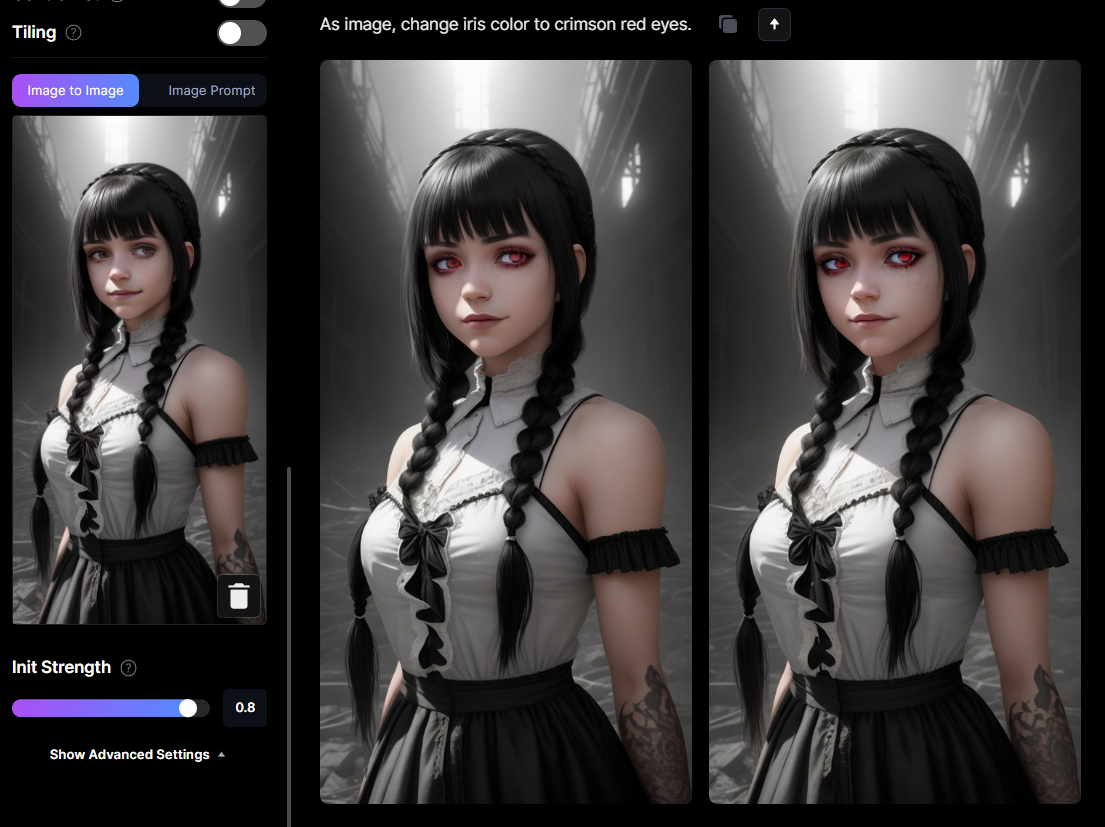 1234 copyright protection749PENANAFPwuJA8RXc 尼
這是原圖1234 copyright protection749PENANA2IWuuN6Lca 尼
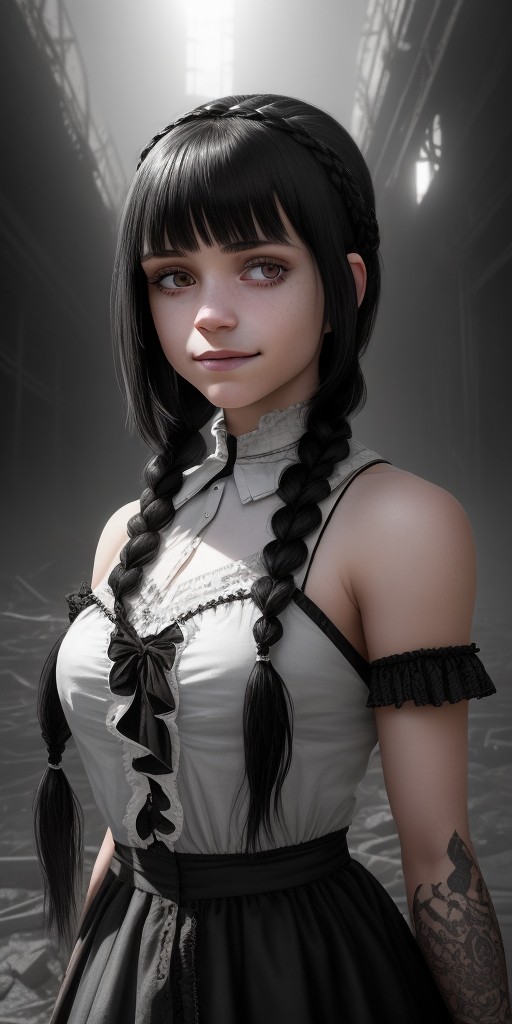 1234 copyright protection749PENANAFl0aN7nVwu 尼
好的那麼,要如何改變人物的眼睛顏色呢?1234 copyright protection749PENANAYfY7oITfB6 尼
【實戰教學】1234 copyright protection749PENANAweskmPLAZQ 尼
首先,一樣從主頁點擊ai image generation進入ai生圖頁面。1234 copyright protection749PENANAb0sRBmwpTa 尼
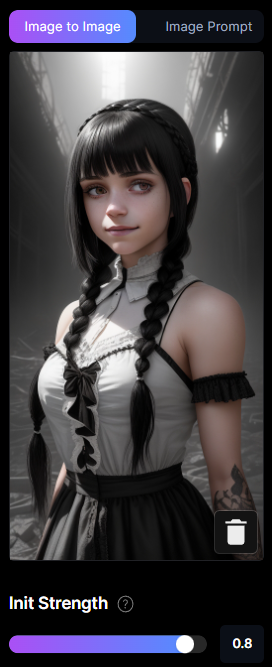
在左側上傳圖片,你可以直接將照片拖拉進下方那個箭頭區域,也可以點擊箭頭進行檔案選擇。1234 copyright protection749PENANA2JzmNVU8Ih 尼
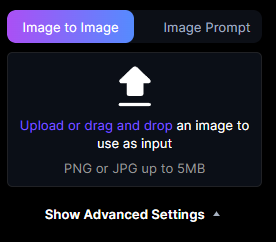 1234 copyright protection749PENANAZXEZiEB2GZ 尼
上傳好照片如下,請將下方的數值調整成0.81234 copyright protection749PENANAxqCsFFLrPK 尼
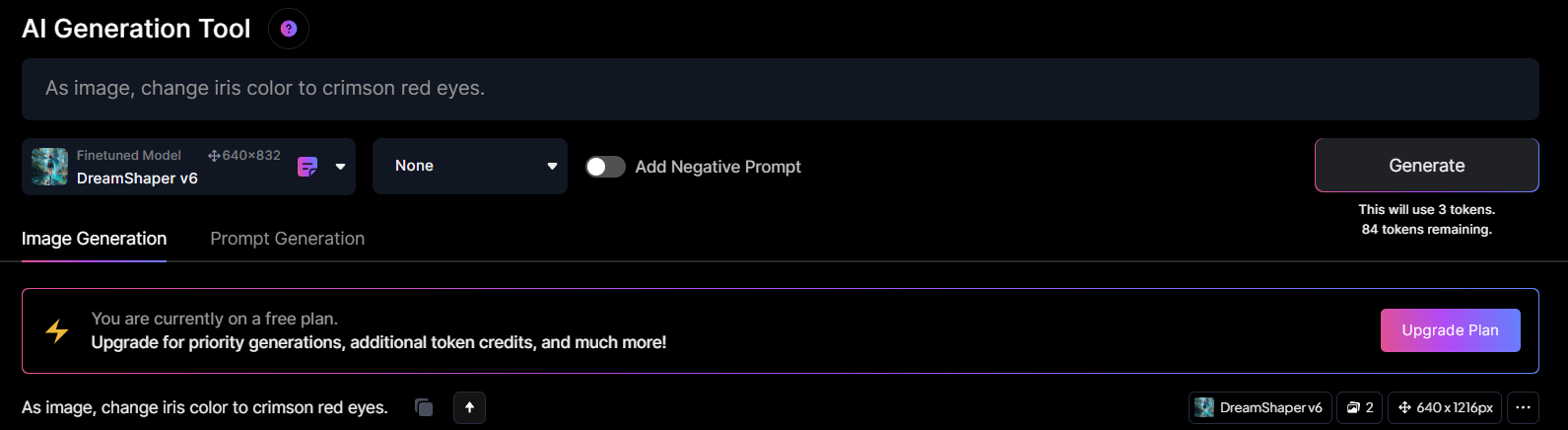
 在產生器中輸入文字1234 copyright protection749PENANAeaFyAfNpvp 尼
As image, change iris color to crimson red eyes.1234 copyright protection749PENANAhNY9rjhMr2 尼
 1234 copyright protection749PENANA6MT04p0Q3C 尼
結果1234 copyright protection749PENANA8FBoMoqdt9 尼
1234 copyright protection749PENANAve94lEclvB 尼
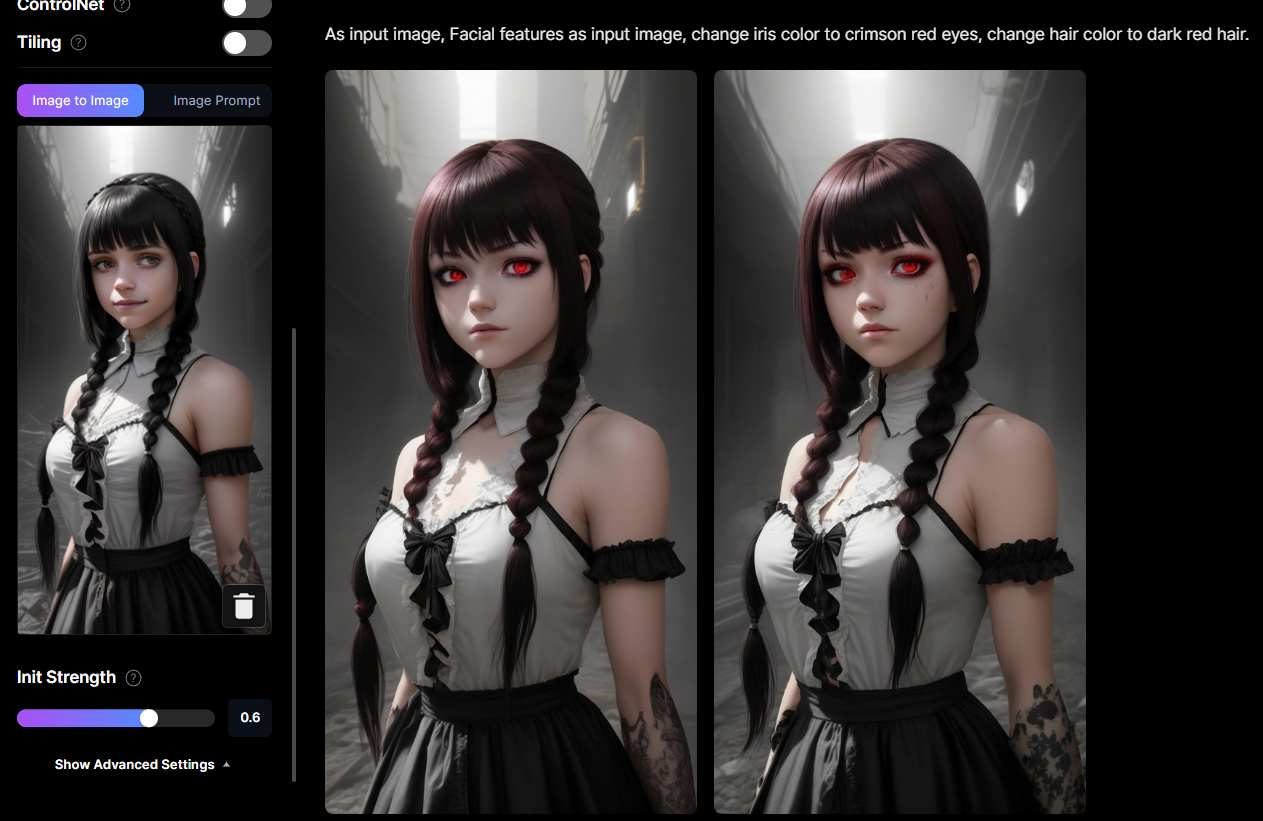
那麼如果要改變髮色呢?1234 copyright protection749PENANAfqfhjvGWqb 尼
 1234 copyright protection749PENANA7tfL7ErGua 尼
請將下方的數值拉到0.61234 copyright protection749PENANAvudNj0Dfxe 尼
文字輸入:1234 copyright protection749PENANAEXAUEiZc2i 尼
As input image, Facial features as input image, change iris color to crimson red eyes, change hair color to dark red hair.1234 copyright protection749PENANAnK5xDkVGi7 尼
中譯:1234 copyright protection749PENANAR3XQEdXq74 尼
以輸入圖像為基準,臉部特徵作為輸入圖像,將虹膜顏色更改為深紅色眼睛,將頭髮顏色更改為深紅色頭髮。1234 copyright protection749PENANAiG7RjmOvtD 尼
下方的數值決定你產出的圖和原圖有多像,數值越低,文字可改變輸入圖的占比越多。1234 copyright protection749PENANAmCfBsblek5 尼
至於為甚麼加入"Facial features as input image",因為你下方的數值調整越低,人物臉部會越接近他模板的臉,也就是說和你提供的照片差異會越大。1234 copyright protection749PENANAhUZurfwHn8 尼
753Please respect copyright.PENANAiQ8jpuB9xq
1234 copyright protection749PENANA4ZiQ75jxhl 尼
753Please respect copyright.PENANA04h8tjOpe2
1234 copyright protection749PENANA94kGuSO2pQ 尼
216.73.216.253
ns216.73.216.253da2



 and then Add to home screen.